ServiceM8
The only CRM here whose official ChatGPT and Claude connection can schedule a job, change its status and text the customer.
We read the developer docs of 10 CRMs: which connect to ChatGPT and Claude, what an AI can create or change, which plan unlocks the API, and what AI is already built in.
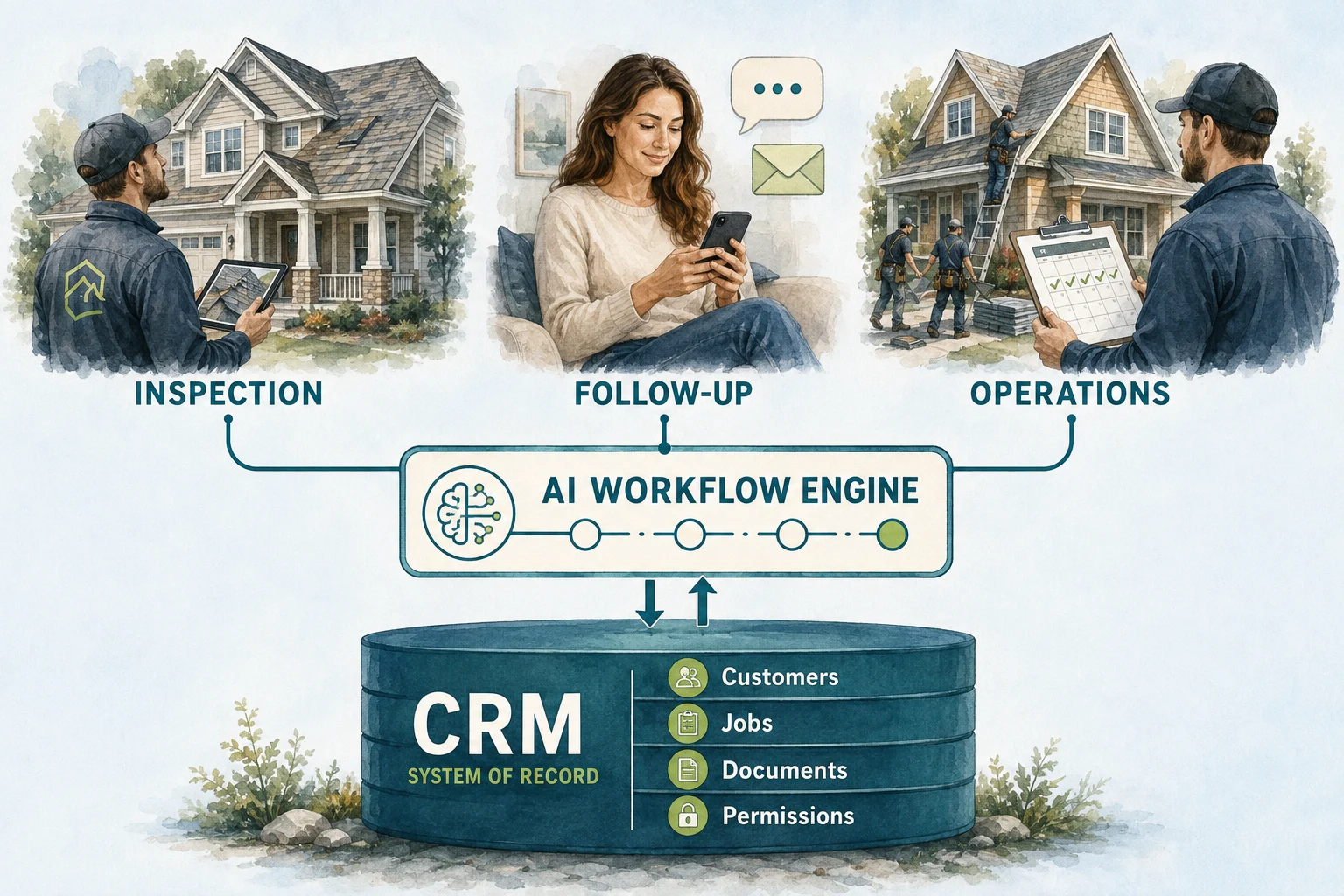
Every AI receptionist, follow-up agent or ChatGPT conversation about your business runs into the same wall: the CRM. If the CRM will not let an outside system read a job, the AI cannot answer questions about it. If it will not let one write a task, the AI can tell you what is stuck but cannot hand it to anyone.
So we skipped the feature lists and read the developer documentation of 10 CRMs that home service contractors use. We checked five things: whether ChatGPT or Claude can connect officially, which plan unlocks the API, whether an outside system can create or change jobs, whether the CRM sends live events, and what AI is already built in.
Two results surprised us. The most AI-ready CRM on paper is ServiceM8, a smaller platform built around the iPhone, not one of the big US names. And ServiceTitan, which has the deepest API of the ten, lands near the bottom: only its top packages can build on it, and it has paused new webhook sign-ups.
Asking questions, doing work in the CRM and using AI inside the app lead to different choices.
The only CRM here whose official ChatGPT and Claude connection can schedule a job, change its status and text the customer.
An official ChatGPT plugin and Claude connector on Core and up. Strong for questions; it writes only clients, properties and requests.
API and webhooks on every plan, including tasks an assistant can create. No official AI connection yet.
Four AI teammates at no charge. Anything outside the app waits for the MAX plan.
Maverick, on every plan, stages each change for a person to approve.
Milestone webhooks and included lead scoring, behind an add-on and one API key per location.
Writes jobs, estimates, invoices and tasks, but only on The Works or Enterprise Plus, and new webhook sign-ups are paused.
Yes counts 1 and partly counts ½. The score ranks documented access for an AI, not how well the CRM runs a business.
| CRM | ChatGPT or Claude | API access | AI can write jobs | Live events | Built-in AI | Score |
|---|---|---|---|---|---|---|
| ServiceM8 ↓ | YesOfficial MCP server; ChatGPT plugin; Claude connector | YesStarter ($29/mo) and up | YesJobs, notes, tasks, scheduling and payments | YesRecord and event webhooks, such as quote accepted or invoice paid | YesAI drafting on every plan; 10 uses a day on Free | 5 / 5 |
| Jobber ↓ | YesOfficial ChatGPT plugin and Claude connector, Core and up | YesConnectors on Core and up; private apps past 5 accounts need approval | YesAPI creates and updates quotes, jobs and invoices; connectors do not | YesWebhooks per app, by topic such as INVOICE_UPDATE | PartlyAI Receptionist is a $29/mo add-on | 4.5 / 5 |
| JobNimbus ↓ | NoNone official; its own Scout assistant is in closed beta | YesAPI and webhooks listed on every plan; prices by quote | YesPublic API covers contacts, jobs, tasks and invoices | YesWebhook action inside automations; custom fields left out | PartlyAssistAI phone agent; extra agents $298 each | 3.5 / 5 |
| AccuLynx ↓ | NoNone official | NoAppConnections add-on required | YesContacts, jobs, documents, photos and payments | YesWebhook subscriptions for contacts, jobs, milestones and invoices | YesAI lead scoring included on Pro and Elite | 3 / 5 |
| Housecall Pro ↓ | NoNone official | NoMAX or XL plan | YesCustomers, leads, jobs and estimates | YesJob, estimate, customer and invoice events on MAX | YesAI Team included free, except CSR AI | 3 / 5 |
| FieldPulse ↓ | NoNone; its MCP endpoint searches help articles only | PartlyKey issued by FieldPulse Support; plan not stated | YesCreate, update and delete jobs, estimates, invoices and more | PartlyJob, estimate and invoice events, set up by Support | YesMaverick office assistant on all plans | 3 / 5 |
| Workiz ↓ | NoNone; its MCP server serves help articles | NoUltimate plan plus Developer API add-on | YesJobs and leads; estimates and invoices read-only | YesWebhook automations on jobs, leads, invoices and estimates | PartlyGenius AI; Genius Marketing is an add-on | 2.5 / 5 |
| ServiceTitan ↓ | PartlyMCP server announced October 2026, still in development | NoCustomer-built apps on The Works or Enterprise Plus | YesJobs, appointments, estimates, invoices, payments and tasks | NoNew webhook subscriptions paused until version 2 | PartlyAtlas app in the base package; Max is a separate package | 2 / 5 |
| Service Fusion ↓ | NoNone official | NoPro plan only | PartlyCreates customers, jobs and estimates; no updates | NoNo webhooks in the API specification | YesNotes+ free in early access | 1.5 / 5 |
| Buildertrend ↓ | NoNone; no Zapier app either | NoNo public API documentation | NoMarketplace integrations only | NoNone documented | YesClient Updates, Bill Capture, Selections and more | 1 / 5 |
Two do officially today. Jobber’s ChatGPT plugin and Claude connector work on every plan from Core up. ServiceM8’s MCP server works as an approved ChatGPT plugin and as a custom connector in Claude. ServiceTitan showed its own MCP server at its Pantheon conference in October 2026, and its coverage calls it still in development.
The two live connections differ in what they let an assistant change. Jobber’s creates and edits clients, properties and requests and reads the rest. ServiceM8’s can create jobs, schedule them, change their status and send customers emails and texts. More reach means more to decide before you switch it on.
For the other CRMs, the usual route is Zapier MCP, which lets an assistant call a CRM’s Zapier actions. The assistant can then do only what that Zapier app does, and the apps differ widely: Housecall Pro’s has two triggers and one action, Jobber’s has 11 triggers and 6 actions.
Two traps. Workiz and FieldPulse both publish MCP addresses, but they search help articles, not your account. And unofficial MCP servers exist for several of these CRMs; one that holds your API key can do everything that key can, so read its code or leave it alone.
| CRM | Official connection | What the assistant can change |
|---|---|---|
| Jobber | ChatGPT plugin and Claude connector, Core and up | Creates and edits clients, properties and requests; reads jobs, quotes, invoices and the schedule |
| ServiceM8 | MCP server: ChatGPT plugin and Claude custom connector | Creates jobs from templates, adds notes, schedules, changes status, sends job emails and texts |
| ServiceTitan | MCP server shown October 2026, still in development | Not yet documented |
| The other seven | None official | Through Zapier MCP, whatever that CRM’s Zapier app allows. Buildertrend has no Zapier app. |
An API that only reads is enough for reports and answers. An assistant that does work needs to write, and the most useful write is usually a task for a person: the callback, the review, the missing document. Only four of the ten document one: ServiceTitan, ServiceM8, JobNimbus and FieldPulse.
Money is the other line. Most of these CRMs let an outside system open a job but keep invoices read-only or out of reach; ServiceTitan, Jobber and FieldPulse are the exceptions. That is a sensible default for an AI as well.
ServiceTitan’s API reaches furthest, but only customers on The Works or Enterprise Plus can build on it. Service Fusion’s reaches least: its own documentation lists three operations, list, read and create, so a record an assistant opens can never be changed through the API.
| CRM | Jobs | Estimates | Invoices | Tasks | Rate limit |
|---|---|---|---|---|---|
| ServiceTitan | Book jobs and appointments | Yes, including mark sold | Create and update | Yes | 60 calls a second |
| Jobber | Yes | Yes | Yes | Not documented | 2,500 requests per 5 minutes |
| ServiceM8 | Yes | A job status | A job status | Yes | 180 a minute, 20,000 a day |
| FieldPulse | Yes | Yes | Yes | Subtasks | 50 a second |
| JobNimbus | Yes | Legacy estimates | In the Public API | Yes | Not published |
| Housecall Pro | Create | Yes | No endpoint found | No | Not published |
| AccuLynx | Yes | Read-only | Read-only | No | 10 a second per key |
| Workiz | Yes | Read-only | Add payments only | No | Not published |
| Service Fusion | Create only | Create only | Read-only | No | 60 a minute per token |
| Buildertrend | No public API | — | — | — | — |
Five of the ten. Housecall Pro needs MAX or XL, Workiz needs Ultimate plus a Developer API add-on, AccuLynx needs its AppConnections add-on, ServiceTitan limits apps you build to The Works or Enterprise Plus, and Service Fusion keeps its Open API on Pro. ServiceM8 includes API access from its $29 Starter plan, JobNimbus lists it on every plan, Jobber’s connectors start on Core, FieldPulse issues keys through its Support team, and Buildertrend publishes no API.
Before connecting an outside assistant, check what the CRM already does. The vendors’ own assistants share one design choice worth copying: they prepare changes for a person to approve. FieldPulse says nothing changes in the account until a person approves it, and ServiceM8’s Office Agent prepares actions that run only once approved.
| CRM | Built-in AI | Included or extra |
|---|---|---|
| Housecall Pro | AI Team: Analyst, Marketing, Coach and Help AI; CSR AI answers calls | Free and on by default; CSR AI is a paid add-on |
| FieldPulse | Maverick office assistant | Included on all plans |
| ServiceM8 | AI drafting for quotes, invoices and messages; Office Agent | Drafting on every plan, 10 uses a day on Free; Office Agent Pro billed separately |
| Jobber | AI Receptionist for calls and texts | $29 a month add-on |
| JobNimbus | AssistAI phone agent; Scout assistant | Extra AssistAI agents $298 each; Scout in closed beta |
| ServiceTitan | Atlas app for owners; Max agentic package | Atlas in the base package; Max is a separate package |
| Workiz | Genius AI: answering, call summaries, lead capture, scheduling | Genius Marketing is an add-on |
| AccuLynx | AI lead scoring | Included on Pro and Elite |
| Service Fusion | Notes+, which cleans up shorthand job notes | Free during early access |
| Buildertrend | Client Updates, Bill Capture, Selections, Submittals, Page Naming | Built into the product |
For a 10-person company choosing between the three, the AI question splits in two. If the owner or office manager wants to ask an assistant about the business next week, Jobber is the only one with an official connection, and it works on Core. If a developer will build an assistant that writes into the CRM, JobNimbus offers the API and webhooks on every plan, along with the write an assistant needs most, a task for a person. Its Pro plan covers up to 10 users.
If the AI will mostly live inside the app, Housecall Pro gives the most away: four AI teammates at no charge. Anything outside the app, including the API and webhooks, waits for MAX.
| What we checked | Jobber | Housecall Pro | JobNimbus |
|---|---|---|---|
| ChatGPT or Claude | Official plugin and connector, Core and up | None official | None official; Scout in closed beta |
| API access | Core and up for the connectors | MAX or XL plan | Every plan |
| What an outside AI can write | Clients, properties and requests through the connectors; quotes, jobs and invoices through the API | Customers, leads, jobs and estimates, on MAX | Contacts, jobs and tasks |
| Live events | Webhooks per app | Webhooks on MAX | Webhook action inside automations |
| Zapier app | 11 triggers, 6 actions | 2 triggers, 1 action | 2 triggers, 6 actions |
| Built-in AI | AI Receptionist, $29 a month | AI Team free; CSR AI paid | AssistAI phone agent |
Each one’s own automation guide goes deeper: Jobber, Housecall Pro and JobNimbus.
Choosing AI tools rather than a CRM? Our AI tools guide compares receptionists, follow-up tools and estimating software.
The most AI-ready on paper: its official connection lets ChatGPT or Claude schedule a job, change its status and text the customer
ServiceM8’s MCP server lets ChatGPT or Claude search clients and jobs, read job diaries and notes, create jobs from templates, add notes, check staff availability, schedule jobs, change a job’s status and send job-linked emails and texts. It is an approved plugin in ChatGPT and a custom connector in Claude. The REST API behind it covers jobs, clients, tasks, notes, attachments, forms and payments, with published limits of 180 requests a minute and 20,000 a day.
That reach is the reason to set it up carefully. An assistant that can text a customer or change a job’s status needs someone deciding which of those it may do; ServiceM8 says the assistant may ask for confirmation, depending on the connector’s permissions and workspace settings. Quotes and invoices are stages of a job rather than records of their own. And the full-featured app is built for iPhone and iPad, with a lighter Android app, so check your crew’s phones before anything else.
Official sources: ChatGPT and Claude connection ↗ · Webhooks ↗ · Rate limits ↗ · Plans and API access ↗ · AI features ↗ · Android app ↗
Official ChatGPT and Claude connections on every paid plan, though they can only create clients, properties and requests
Jobber’s ChatGPT plugin and Claude connector answer questions about clients, jobs, quotes, invoices, requests and the schedule, surface quotes awaiting approval and unpaid invoices, and create or edit clients, properties and requests. Both need Jobber Core or higher. Underneath, Jobber’s GraphQL API uses OAuth rather than API keys, and its mutations create, update or delete data, including quotes, jobs and invoices.
The connectors stop short of the work itself: an assistant can find the quote that needs chasing but cannot change the quote, open a job or send an invoice. Going further means a custom app, with 60-minute access tokens, a limit of 2,500 requests per 5 minutes, and webhooks that send only an ID and must be answered within one second. A private app connected to more than five Jobber accounts needs Jobber’s approval.
Jobber’s built-in automations, Zapier connector and webhooks →
Official sources: Claude connector ↗ · ChatGPT plugin ↗ · Rate limits ↗ · Webhooks ↗ · Custom integration limits ↗ · Plans and add-ons ↗
The API and webhooks come with every plan; an official AI connection does not exist yet
JobNimbus lists API and webhooks on Essentials, Pro, Premium and Enterprise. Its Public API reaches contacts, jobs, tasks, activities, files, invoices, payments, work orders and material orders, and two of its options matter for an AI. An admin key can act as a named team member through the actor parameter, which records that person as Created By, and skip=automation saves a record without firing your automation rules. A webhook action in the automation editor can post a job to an assistant the moment its status changes.
There is no official ChatGPT or Claude connection. JobNimbus’s own assistant, Scout, creates and updates jobs, contacts, tasks, notes and photos, but is in closed beta. Rate limits are not published, the webhook action leaves out custom fields, and API keys now expire one year after they are created.
Both JobNimbus APIs, key expiry and skip=automation →
Official sources: Plans, API and webhooks ↗ · Public API ↗ · API key expiry ↗ · Scout ↗ · AssistAI pricing ↗
A real webhook API and included lead scoring, behind an add-on and one key per location
With the AppConnections add-on, AccuLynx issues API keys that can create contacts and jobs, add documents, photos and messages to a job, record payments and subscribe to events such as a job changing milestone or an invoice being voided. Its plans include AI-based lead scoring. For an assistant watching a roofing pipeline, milestone events are the useful signal.
Estimates, invoices and the calendar are read-only through the API, and there is no endpoint for tasks, so an assistant can tell you what is stuck but cannot assign it to anyone inside AccuLynx. Each location needs its own key, and requests are limited to 30 a second per IP address and 10 a second per key. AccuLynx also says it does not support its API the way it supports the app.
Official sources: AppConnections and API keys ↗ · Keys per location ↗ · Rate limits ↗ · Webhook subscriptions ↗ · Lead scoring by plan ↗
The most free built-in AI here; the API and webhooks wait for MAX
Housecall Pro’s AI Team is built into every account and switched on by default: Analyst, Marketing, Coach and Help AI are free, and CSR AI, the 24/7 answering service, is a paid add-on. On MAX, the API creates customers, leads, jobs and estimates and adds attachments to jobs, and webhooks report jobs being created, scheduled, completed and paid and estimates being won.
Below MAX there is no API and no webhooks; the Zapier app, on Essentials and up, has two triggers and one action. On MAX you create your own API key, while OAuth is reserved for official integration partners. Rate limits are not published, and we found no endpoint that creates or changes an invoice.
Housecall Pro’s Pipeline automations, Zapier and every webhook event →
Official sources: AI Team ↗ · API access and authentication ↗ · API limits ↗
The widest write access in this list, but Support issues the key and sets up the webhooks
FieldPulse’s REST API creates, reads, updates and deletes customers, jobs, estimates, invoices, payments, projects, subtasks and comments, at up to 50 requests a second. Maverick, its office assistant, is included on every plan; FieldPulse says nothing changes in the account until a person approves it.
You cannot just switch the API on: FieldPulse Support registers and activates the key, and webhooks for jobs, estimates and invoices must also be set up through Support. FieldPulse publishes an MCP address, but it searches help articles and API documentation, not your account. There is no official ChatGPT or Claude connection.
Official sources: API overview and rate limit ↗ · Webhooks ↗ · Maverick ↗
Fine-grained API keys, but only on Ultimate with a Developer API add-on, and money records are read-only
Workiz’s v2 API uses named keys, each with an optional expiry date and its own Read or Read & Write setting per resource, the most precise permission control in this list. Through it an assistant can create and update jobs and leads, convert a lead and add client notes. Genius AI answers calls, summarizes them and turns lead emails into leads.
The API needs the Ultimate plan and the Developer API add-on. Estimates and invoices are read-only apart from adding payments, clients cannot be updated once created, and there is no endpoint for tasks. Webhooks come from Workiz automations rather than the API. Workiz’s MCP server serves its help center, not your account.
Official sources: API keys and permissions ↗ · Plans and Open API ↗ · Webhooks ↗ · Developer platform ↗ · Genius AI ↗
The deepest API in this list and the hardest to reach: top packages only, and new webhook sign-ups are paused
ServiceTitan’s API can book a job, mark an estimate sold, create and update invoices and create tasks, at 60 calls a second per app per account. At its Pantheon conference in October 2026 it showed Claude working through a ServiceTitan MCP server to find a year’s unused materials, and it puts the Atlas app, with insights and agents for owners, in the base package.
Only customers on The Works or Enterprise Plus can build their own apps, and handing your app key to software you do not control is prohibited. New subscriptions to the current webhooks are paused until version 2 launches, so an assistant has to ask rather than be told. ServiceTitan’s own coverage calls the MCP server still in development.
Official sources: Approved integration paths ↗ · Webhook subscriptions ↗ · Rate limits ↗ · Pantheon 2026 launches ↗
Its API can create customers, jobs and estimates but cannot change anything afterwards
Service Fusion’s API lists, reads and creates records over OAuth, and an assistant can use it to open a customer, a job or an estimate. Notes+, which turns shorthand notes into clear write-ups, is free for every customer while in early access.
Its own documentation names three operations: list, read and create. Nothing can be updated or deleted, invoices are read-only, there are no webhooks, and each access token is limited to 60 requests a minute. Open API access is on the Pro plan only.
Official sources: API specification ↗ · Plans and Open API ↗ · Notes+ ↗
Useful AI inside the product, and nothing documented for an outside assistant to connect to
Buildertrend builds its AI into the product: Client Updates turns daily job inputs into client summaries, Bill Capture reads vendor bills into line items and cost codes, and Selections, Submittals and Page Naming organize product data and plan sets. Its marketplace connects HubSpot, Salesforce and Pipedrive leads.
We found no public API documentation, no Zapier app and no MCP server, so an outside assistant has no supported way in. The marketplace connections move leads into Buildertrend; confirm what, if anything, flows back before planning around it.
Official sources: Construction AI features ↗ · Marketplace integrations ↗
We read each vendor’s pricing page, help center and developer documentation on October 26, 2026, and nothing else: no review sites, no vendor briefings, no affiliate links. Where a vendor’s pages did not say something, we treated it as not documented rather than missing.
Each CRM gets five checks: an official ChatGPT or Claude connection; API access without a top plan or add-on; an outside system able to create or change jobs or estimates; live events open to new customers; and AI built into the plan. Yes counts 1 and partly counts ½. A CRM can score low here and still run your business well.
We did not test the products hands-on, and these AI features change monthly. GoodHandoff builds AI workflows on top of CRMs like these, so we have an interest in their APIs being usable; when a CRM’s built-in AI covers the job, we recommend using it first.
On documented access, ServiceM8: its official MCP server connects ChatGPT and Claude, its API starts on the $29 Starter plan, and it sends live events. Jobber is close behind, with an official ChatGPT plugin and Claude connector on every plan from Core. Check the same five things against the CRM you already use before switching.
Yes. Jobber offers an official ChatGPT plugin and Claude connector on Core and higher plans. They read clients, jobs, quotes, invoices, requests and the schedule, and can create or edit clients, properties and requests.
Not an official one as of October 26, 2026. An assistant can reach Housecall Pro through Zapier MCP, limited to its Zapier app’s two triggers and one action, or through the API and webhooks on the MAX plan.
ServiceTitan showed one at its Pantheon conference in October 2026, connecting Claude or ChatGPT to ServiceTitan data, and its own coverage calls it still in development. Its API is open to customer-built apps on The Works or Enterprise Plus.
ServiceTitan’s reaches furthest: jobs, estimates, invoices and tasks, at 60 calls a second. It is also the hardest to use, limited to top packages, with new webhook subscriptions paused. ServiceM8, FieldPulse and JobNimbus offer broad write access with fewer gates.
AI can replace some manual interaction and coordination. A contractor still needs a reliable home for customer identity, job history, permissions and approved operational records. Replacing that foundation is a much larger project than adding an assistant.
Book a free 20-minute call. Tell us your CRM and plan, and we will tell you what an assistant can read and change in it today.