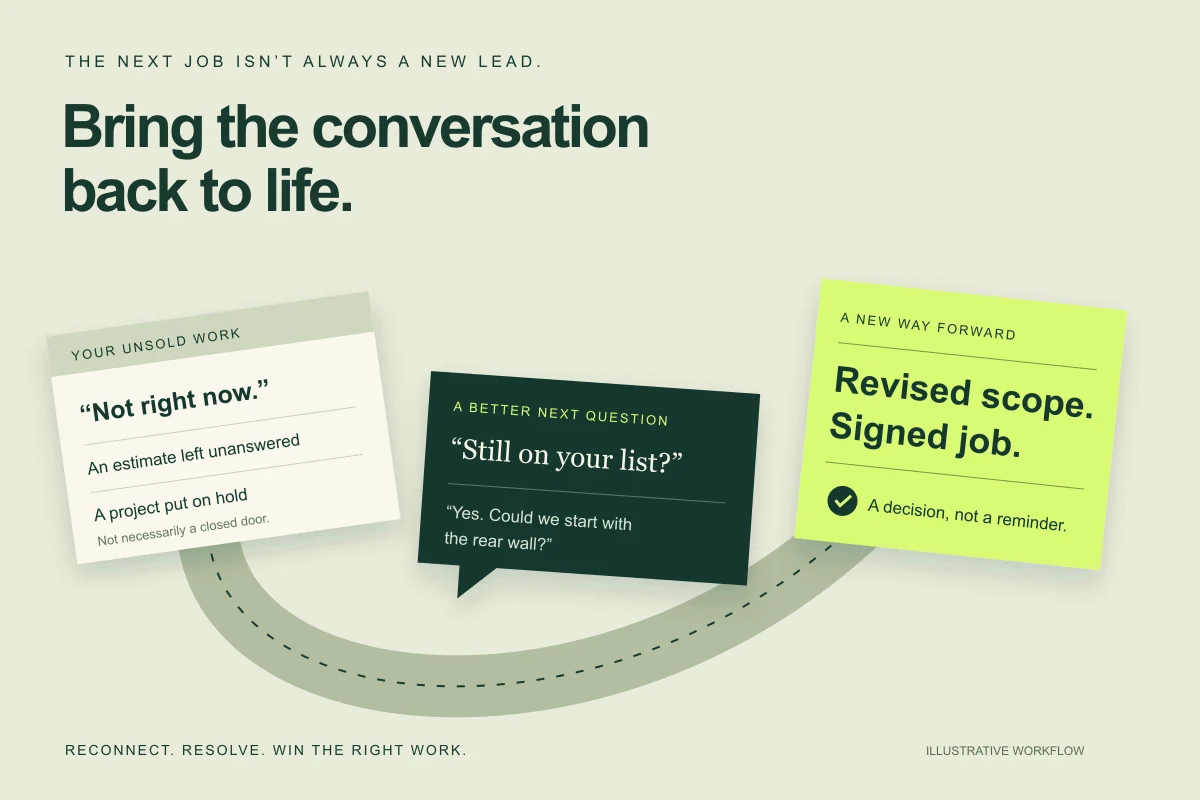
The lead is not new.
The next conversation can be.
You already did the expensive part.
You paid for the lead. You answered the call. You drove to the house, took measurements and wrote the estimate. Then the conversation stopped.
Maybe the homeowner was waiting on another project. Maybe the price surprised them. Maybe a question went unanswered while your team was busy selling the next job. In your CRM, those very different situations can all look like the same thing: not sold.
The answer is not to blast everyone with “just checking in.” It is to build a way to recognize the unfinished opportunity, restart the right conversation and help the customer make a decision.
Contractor lead reactivation—sometimes called rehash—is that repeatable process. New-lead follow-up tries to connect while interest is fresh. Reactivation asks whether an older opportunity still has a legitimate next step. For the fresh-lead side, use our contractor lead follow-up guide.
“Not sold” tells you what happened.
It doesn’t tell you what to do next.
Look for an unfinished decision, not just an old record.
Open a manageable slice of your history—one service, one office or one estimator’s unsold work. Read the last real conversation alongside the status. A $15,000 proposal with no response may be a worse recovery candidate than a $4,000 project with a clear “call me after the move.”
Start with customer-requested follow-up dates and unanswered questions you can genuinely resolve. Then consider unaccepted quotes and missed consultations where the project may still be relevant. Sort by reason, service fit and the next action your team can deliver—not simply by the largest dollar amount.
Remove duplicates, booked or completed jobs, active staff conversations, opt-outs and records that are not eligible for the proposed contact channel. Review old prices before anyone presents them again. This cleanup keeps your salespeople from chasing customers who should not be in the recovery list.
Four reasons a job stalls.
Four different ways back in.
Choose the conversation that matches the customer’s situation. These are fictional message examples for an approved channel—not customer testimonials or send-ready compliance templates.
The inquiry that never became an appointment
They asked about the work. You never established whether they still needed it.
A form submission followed by a missed call is not the same as a rejected proposal. Your next job is to find out whether the need still exists—not send an estimate reminder for an estimate they never received.
Hi Jordan, this is Casey with Example Home Services. You reached out about replacing your patio door. Is that still on your list, or have you already taken care of it?
A possible reply“Still need it. Just haven’t had time.”
Turn the reply into a next step
Offer a specific, genuinely available next step: a short call or an assessment. Confirm the appointment in your scheduling system before telling the customer it is booked.
Don’t lose the trust: Do not pretend you visited the property or know why they went quiet.
The estimate they never answered
There is a proposal, but you do not know what is holding up the decision.
“Following up on your estimate” gives the customer the same task they already avoided. Make the decision smaller. Ask whether the question is about scope, timing, or cost; then help with that specific issue.
Hi Taylor, Casey at Example Home Services here. Are you still considering the window replacement? If so, is there anything about the scope, timing or price you would like us to clarify?
A possible reply“We weren’t sure whether the trim was included.”
Turn the reply into a next step
Have the estimator answer from the actual proposal. If something was omitted, issue a clear revision. Preserve the original estimate and the customer’s question so the next person does not start over.
Don’t lose the trust: Do not let an AI improvise inclusions, warranties or a lower price.
The project that was “not right now”
They gave you a reason or a date to come back.
This is a timing conversation, not necessarily a sales objection. The most useful trigger may be the month the homeowner requested, not an arbitrary number of days since the estimate. Refer to the reason only if it is documented and appropriate to mention.
Hi Morgan, it’s Casey at Example Home Services. You asked us to reconnect in September about the siding project. Is this still a good time to revisit it? We can review the scope and update the estimate before you decide.
A possible reply“Yes, but we want to start with just the rear wall.”
Turn the reply into a next step
Route the changed scope to the estimator. A smaller, viable project may be worth quoting, but confirm feasibility and margin before offering phased work. A requested return date is not an automatic permission slip for every channel.
Don’t lose the trust: Do not promise the old price or an installation date that production has not approved.
The consultation that fell off the calendar
The appointment did not happen. The project may still matter.
Remove the friction of rescheduling without making the customer feel scolded. First check the reason for cancellation. A missed visit, a deliberate cancellation and a completed project with another contractor should not all receive the same message.
Hi Alex, this is Casey with Example Home Services. We didn’t get to complete your deck consultation. Would another time help, or would you prefer that we close this out?
A possible reply“Another time would help. Afternoons are better.”
Turn the reply into a next step
Offer verified afternoon availability and carry the original project notes into the new appointment. Close the loop on the old booking so nobody calls about the missed visit again.
Don’t lose the trust: Do not reopen completed work or keep pursuing a customer who has declined.
Use your real business identity and verified project details. Add required disclosures and opt-out language for the chosen channel. See the contact-policy notes before using any script.
“We’re not ready” does not always mean “no.”
A fictional siding project shows where the recovery happens. The dates, people, amounts and outcome below are an illustrative example.
- SEPT 3 · 9:10 AM / RECONNECT
Start where the customer left off.
The system finds the requested return date, checks the current job status and permitted contact channel, then sends the approved follow-up. It references the siding project, not a generic promotion.
“Yes, but we want to start with just the rear wall.”
- SEPT 3 · 9:24 AM / RESOLVE
The reply changes the work.
Scheduled reminders stop. Casey receives the original estimate, the new scope request and the conversation together. Casey confirms that a rear-wall-only project is feasible and arranges a scope review with Morgan.
“Let’s review that option. I’ll need to confirm the measurements and current material pricing before I send a revised estimate.”
- SEPT 5 / REQUOTE
Make the decision clear.
After the review, Casey sends an approved $6,400 proposal for the rear wall with explicit inclusions and exclusions. The business does not represent this as a discount on the original whole-project price.
- SEPT 8 / SIGNED WORK
Count the right outcome.
Morgan signs the $6,400 agreement. Production reviews the handoff before confirming an installation date. The record now shows signed work; it does not show $12,800 recovered or $6,400 collected. Payments are reported separately when received.
A smaller project. A resolved objection. A real next step.
If the reply had been “too expensive”
Ask what the homeowner is comparing and whether the scope is understood. Have the estimator explain options your company actually offers. Do not manufacture financing, discounts or urgency. A job that loses money is not a recovery win.
If there had been no reply
Use a finite, approved follow-up plan with a clear stop point. Timing should reflect the project and customer’s request. Do not keep contacting indefinitely or switch channels to evade an opt-out. Leave an accurate outcome for the next person.
What would recovering a few jobs actually be worth?
Not the face value of every estimate in your CRM. The useful number is the additional work you might win, at a margin that covers the effort to recover it.
Illustrative inputs only. These are not industry benchmarks, measured results, a GoodHandoff quote or a forecast. Replace every assumption with your own segment and time period.
YOUR ASSUMPTIONS · ONE RECOVERY COHORT
No upload, signup or sending. Values stay in this page’s memory and reset on reload.
MODELED OUTCOME · NOT A FORECAST
- 60replies
- 30qualified opportunities
- 9signed jobs
- Less expected baseline
- 1 job
- Modeled incremental jobs
- 8
- Incremental signed revenue
- $48,000
- Gross profit at 35%
- $16,800
- Less recovery cost
- $3,000
Contribution after recovery cost$13,800
2 incremental signed jobs needed to cover the recovery cost at this margin.
Signed revenue is not collected cash. This excludes general overhead, taxes, financing and collection losses. Fractional jobs are expected values, not literal sales.
The arithmetic is visible.
Eligible opportunities × reply rate × qualified-opportunity rate × close rate = modeled signed jobs. Subtract jobs expected without the campaign. Multiply the difference by average job value and gross margin, then subtract recovery cost.
The starting example produces 9 signed jobs, less 1 baseline job: $48,000 in modeled incremental signed revenue. At 35% gross margin, less $3,000 in recovery cost, that leaves $13,800 in contribution before overhead and taxes.
Stress-test it before you buy.
Halve the reply rate. Lower the job value. Include the time your estimator spends revisiting properties. If the case only works with optimistic assumptions, start smaller or fix the process first.
Keep the comparison period consistent. Charging only one month’s software cost against a year of possible recovered work will make the economics look better than they are. Our estimate follow-up cost guide goes deeper on delivery costs.
How to measure additional sales—not just take credit for them
Keep the original opportunity ID and record the recovery reason, first contact, reply, estimator handoff, signed agreement, cancellations and payments. Separate a booked estimate visit from a booked installation. Deduplicate by opportunity, not by message.
Where practical, randomly assign comparable eligible opportunities to a recovery group and a holdout that continues normal service. Compare signed-job rates over the same observation window. For example, an illustrative 9/300 campaign rate versus 3/300 in the holdout suggests 6 additional jobs, not 9. That small sample is directional, not statistical proof.
If a holdout is not practical, use a documented historical baseline and disclose the limitations: seasonality, lead mix, pricing and other sales activity may explain part of the change. Do not delay a customer-requested callback or necessary service to create an experiment.
Build a recovery system.
Not another reminder you have to remember.
The value is the connection between the customer’s history, the conversation and the person who can move the project forward.
- 01Find
The unfinished opportunity
- 02Reconnect
A reason to talk again
- 03Resolve
The actual obstacle
- 04Book
A confirmed next step
What the system can do for you
Find records that fit your agreed recovery rules. Bring the relevant project history into an approved message. Detect a reply, stop pending follow-ups and route the conversation with its context. Flag a failed delivery or missing owner so the office can resolve it.
AI can help interpret a reply like “after the kitchen is done” or prepare a summary for the estimator. Fixed rules should handle things that do not need interpretation: exclusions, duplicate prevention, stop conditions and assignment. The useful output is a task someone can finish—not a label that says “interested.”
What your team still owns
You approve the offer, pricing and sales process. Your estimator resolves scope questions. Your office confirms real availability. Your production team accepts the sold-job handoff. The system should make those decisions easier, not quietly make new promises on your behalf.
If a record is ambiguous, put the question in front of the right person. If a write to the CRM fails, keep it visible and prevent duplicate contact. The same principle applies to verifying the work after an automation runs: a conversation only helps when the next step actually happens.
A straightforward quote reminder?
Check your CRM first. For example, Jobber documents automatic quote follow-ups on select plans. If your requirement is a reminder about an unanswered quote and the native reply handling fits, you may not need a custom build.
Different reasons. Different next steps.
Custom work becomes relevant when follow-up depends on estimator notes, changed scopes, customer-requested dates, multiple opportunities or several systems. Confirm your CRM’s data access and plan restrictions before assuming those connections are available.
Own the recovery process—not just a subscription to another inbox.
GoodHandoff builds custom agents and workflows around the way your business sells. A scoped project can connect your CRM history, approved follow-up and sales handoffs, with ownership terms and ongoing costs made explicit before the build.
Ask for the source code and workflow definitions included in the agreement, business-controlled provider accounts, an exportable record of activity, operating instructions and a clear maintenance arrangement. Owning custom code does not mean owning the underlying CRM or eliminating hosting, messaging and support bills.
Compare the full cost of both approaches over the same period. Custom technology can be the better fit; it is not automatically cheaper. Use the workflow cost comparison to examine that tradeoff.
Start with one slice of your unsold work.
This is a suggested learning plan, not a promised launch timeline. A messy database, unavailable integration or unresolved contact policy can require more preparation.
- WEEK 01
Read the history before writing the campaign.
Pick one service and a bounded group your staff can handle. Review the last conversation, stalled reason, estimate validity and contact eligibility. Name the sales owner and decide what a worthwhile next step looks like.
Leave with: a reviewed opportunity list and a reason to reconnect for each inclusion.
- WEEK 02
Build the conversation and rehearse the handoff.
Write a different opening for each approved recovery reason. Walk through “yes,” “not now,” “too expensive,” wrong number, no reply and opt-out. Test with internal fictional records first. Check that a reply stops the sequence and the assigned person receives the context.
Leave with: approved messaging, working assignments and clear stop conditions.
- WEEK 03
Run a small, authorized pilot.
Set the volume by your team’s ability to handle responses, not the size of your export. Review actual conversations daily. Check whether the opener is relevant and whether interested customers reach the estimator. Fix failed handoffs before increasing volume.
Leave with: observed replies, completed next steps and a list of things to improve.
- WEEK 04
Decide whether the next group is worth it.
Review negative replies and complaints alongside qualified opportunities, signed jobs, costs and payments. Your sales cycle may be longer than the pilot; keep tracking those outcomes instead of declaring victory at day 30. Expand only when the process and economics support it.
Leave with: a continue, revise or stop decision—not just a messages-sent report.
Recover the opportunity without burning the relationship.
Keep the first message relevant and easy to answer. Identify your business, honor the customer’s preferences and stop when asked. An old CRM entry is not permission to use every channel. Have the proposed channels, consent evidence, contact windows and suppression process reviewed before launch.
For SMS, Twilio’s messaging policy sets provider requirements for consent, sender identification and opt-outs. For commercial email, the FTC’s CAN-SPAM guide covers requirements including sender information and an unsubscribe mechanism. Phone outreach needs separate review; the FTC’s Telemarketing Sales Rule guide is a starting point, not the entire rulebook.
Requirements vary by channel, location and technology; AI-generated voice needs its own review. Get qualified legal advice for your actual program. These scripts illustrate customer conversations and do not establish legal permission to send or call.
A recovery pilot you can account for.
Do not size the pilot from the number of rows in an export. Size it from the response capacity of the estimator who will receive the work. If the office can handle five useful replies a day, release records in reviewed batches and stop increasing volume when the handoff backlog grows.
A proposed two-touch plan for unanswered older estimates.
This fictional plan is a starting policy for review, not an optimized cadence or legal approval. A customer-requested callback follows the requested date instead. Keep new leads, older unsold estimates and service issues in different workflows.
- Day 0, approved contact window: use the relevant recovery-play opener after current status, permission and ownership checks. Identify the business and include the required channel footer. Store the opportunity ID, estimate version, actual attempt and delivery state.
- Day 7, only if still eligible and unanswered: “Hi Taylor, Example Home Services here. Should we close the window estimate for now, or would a scope review help? We would confirm current pricing before any new proposal.” This is the final planned unanswered touch.
- After touch two: end the sequence with an accurate disposition. Do not mark the person permanently uninterested merely because they did not reply, and do not enroll the same opportunity again without a new reviewed reason.
A reply changes the plan immediately. “September would be better” becomes a customer-requested task after clarification; “too expensive” goes to the estimator; “already completed” prompts a record correction; “stop” triggers suppression. A failed or ambiguous CRM update must not cause another customer contact. A second channel is not a workaround for an opt-out.
Download the recovery cohort and outcome worksheet
What the local selection test actually establishes.
The existing no-send rule test was rerun on . Its 20 fictional records reconcile to 7 eligible for operator review, 11 excluded and 2 requiring manual review. Eligible is not authorization to send.
| Gate tested | Observed local result |
|---|---|
| Reply blocks queued follow-up | PASS |
| Opt-out blocks queued follow-up | PASS |
| Unknown provider outcome holds retry | PASS |
| Ambiguous identity routes to review | PASS |
| New activity after selection blocks execution | PASS |
| Cohort totals reconcile without double counting | PASS |
Read the test results and fictional cohort. This checks local selection and stop rules only. No live source export, provider delivery, CRM access, customer response or recovery revenue is established by it.
Evidence needed before calling this a revenue result.
Freeze the eligible cohort and observation window before launch. Record qualified replies, held estimates, signed agreements, cancellations, gross profit basis and actual recovery cost. Separate observed signed jobs from estimated incremental jobs and collected payments. Keep exclusions in the denominator ledger, not hidden in a messages-sent report.
For an anonymized case study, publish the service type, dates, selection rules, cohort size, comparison method, raw stage counts, costs and follow-up window. State what remains open. If you cannot produce that trail, describe the workflow and test evidence rather than claiming “recovered revenue.” There is no verified customer-revenue result in this guide.
Questions business owners ask.
What is contractor lead reactivation?
It is reopening relevant conversations with existing prospects who did not become customers. It can include unanswered inquiries, unsold estimates, postponed projects and canceled consultations. Unlike buying new leads, the starting point is your own history with the customer.
How old is too old for a lead?
There is no universal expiration date. A customer-requested return date and a still-relevant project matter more than age alone. Older records need scrutiny for contact eligibility, ownership, completed work and outdated pricing. A recent explicit no is not a better opportunity than an older invitation to reconnect.
Should we offer a discount to bring someone back?
First find out what stopped the job. A timing problem needs a timing conversation; a scope problem needs a clearer scope. Any incentive should be real, approved and evaluated against job margin. An automatic discount can give away margin without addressing the objection.
Can AI follow up with old estimates automatically?
Parts can be automated after reviewing channel permission, CRM access and your sales process. AI can help interpret replies and prepare relevant responses. Your team still needs to own pricing, scope changes and commitments. A positive reply is not a signed contract or a paid job.
How do we know the campaign caused the sale?
A reopened CRM record establishes a traceable path, not causation. Compare a randomly assigned eligible follow-up group with a comparable holdout where appropriate, preserve normal service in both groups, and measure over the same period. Small samples are directional. Report observed sales separately from estimated incremental sales.
Do we need a new CRM?
Not necessarily. Check whether your current CRM handles the specific reminder and reply workflow. Custom work may fit when the requirement spans sales notes, multiple records, different recovery reasons or several tools. Confirm API access and subscription constraints before committing to a build.
Sources & editorial notes
Primary references were checked for the latest update to this guide. GoodHandoff sells custom workflow services. This is an original proposed playbook, not an independent vendor ranking or a customer case study. Conversations and calculator inputs are illustrative. No recovery rate, savings or revenue outcome is guaranteed. The documents below support the specific platform and contact-policy statements; they do not validate the example economics.
- Jobber: quote approvals and follow-upsNative quote follow-ups on select plans; supports the built-in-versus-custom comparison, not a conversion claim.
- Twilio: messaging policyProvider requirements for consent, sender identification and opt-outs; not a complete statement of applicable law.
- FTC: CAN-SPAM compliance guidePrimary guidance for commercial email, including sender information and unsubscribe requirements.
- FTC: complying with the Telemarketing Sales RuleStarting point for qualified review of marketing calls. Additional laws and provider rules can apply.