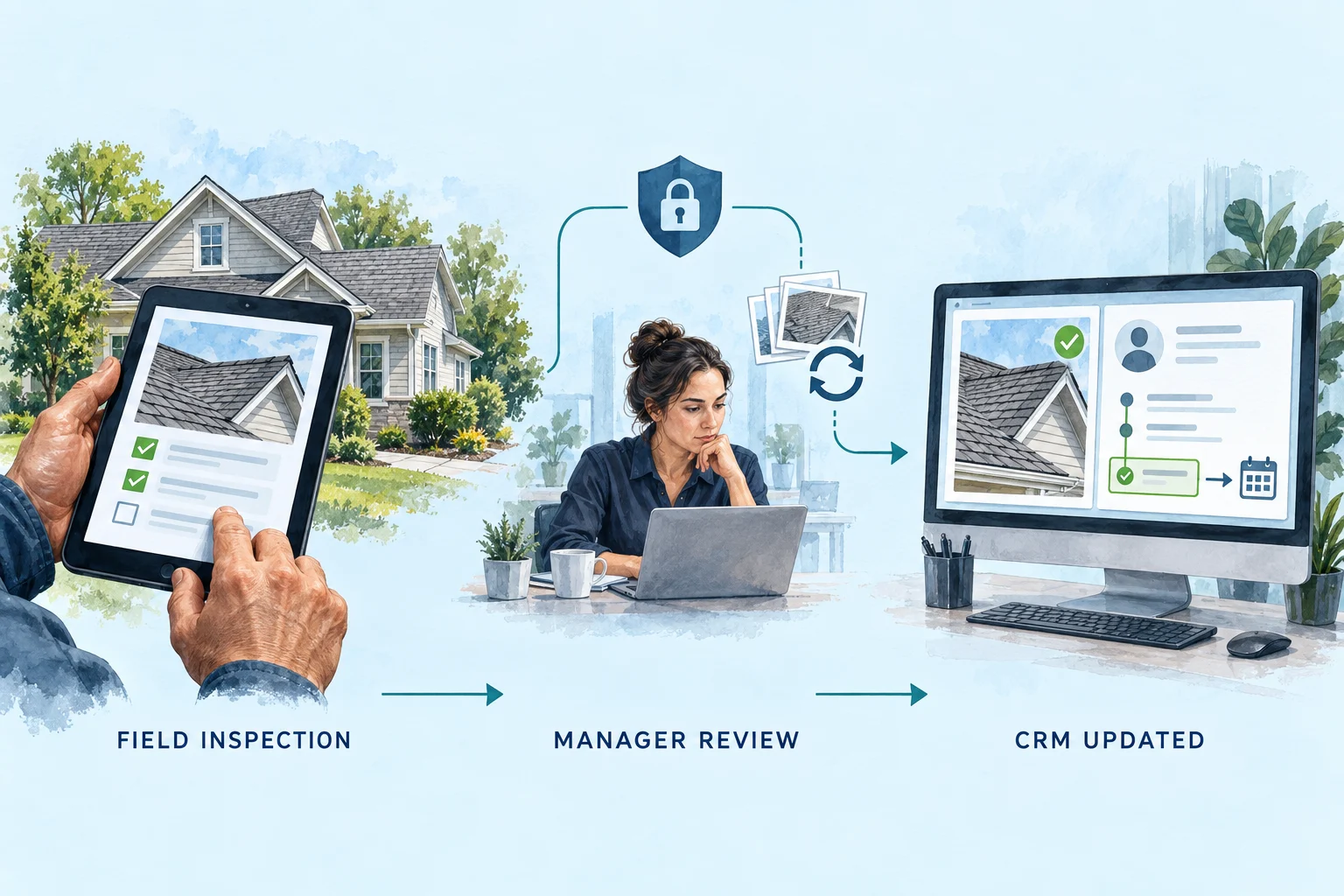
You built an inspection form, approval tool or team dashboard with AI. Now the work is protecting customer data, connecting the right records and making it reliable.
The decision is who finishes—and owns—the workflow.
Use AI to make progress. Judge readiness by the evidence behind the screen.
Illustrated workflow concept. The detailed example below uses fictional records.
The first build can be useful.
Imagine a home service company whose technicians collect inspection notes in one place, photos in another, and questions for estimating in a group chat. The owner describes a better process to an AI app builder. Soon there is a mobile form, a job list and a manager dashboard. For the first time, the idea is something the team can see and discuss.
That first version helps the team discover what it needs. Before real customer records arrive, you also need to establish who can open a photo, which actions require approval and what happens when a connection fails.
In this guide, vibe coding means shaping an app largely through prompts and AI-generated changes, often without reviewing every implementation detail. AI-assisted development can also include careful engineering and testing. The relevant difference is how the finished work is checked and operated.
THE SHORT ANSWER
Keep building when you can own the consequences.
DIY can be a sensible next step.
You are exploring one narrow workflow with fictional or non-sensitive data, can tolerate interruptions, and have the skill or support to inspect what is being built. You know how to stop, recover and get help when a change behaves unexpectedly.
Use this stage to learn what the team needs. An experiment does not need the same operating commitment as a customer-facing portal.
Bring in help when the app starts owning real work.
Different users need different access. The app updates live jobs, shares documents, sends customer communications or controls approvals. A failure would leave someone exposed, miss a handoff or interrupt the day.
Hire against those responsibilities. Ask who will demonstrate the checks, resolve exceptions and maintain the agreed parts after launch.
GoodHandoff builds supporting workflows and tools around your existing systems: inspections, approvals, customer portals and team workspaces. The CRM can remain the agreed source of customer and job records.
The builder has security tools. Your workflow still needs decisions.
Replit’s shared responsibility model also separates platform protections from the user’s responsibilities for application logic, permissions and data handling. Paying for infrastructure does not decide which technician should see which customer, or who can approve a change.
A developer may use the same AI tools you do. Ask them to define the finished result, demonstrate it and explain who operates it after handover.
ONE WORKFLOW, ALL THE WAY THROUGH
Finish the inspection, not just the form.
We built a small, working handoff example using a manager-approved inspection. Choose a failure, send the record, then restore the connection. Watch the saved note, assigned task and history change. Every record is fictional.
INSPECTION HANDOFF / SYNTHETIC RECORD
One approved inspection. One destination.
DEMO-204 · Approved v1
The mock CRM will reject the first write. Restore the connection to send the missing result.
APPROVED INSPECTION
Chimney flashing assessment
Estimator to assess chimney flashing; replacement not confirmed. Customer asks whether it is included in the proposed scope.
Approved by
Morgan · Estimating
Next task
Review flashing evidence before the revised proposal.
MOCK CRM / ACTUAL DEMO STATE
0Saved note
0Assigned task
0Write requests
No approved inspection has reached this record yet.
Ready to sendSend the approved inspection to start this example.
Communication & processing history 0 attempts
The log will show each destination check, write and recovery action.
Working browser demonstration with fictional data and an in-memory mock CRM. It sends no customer information or provider requests. Reloading resets it. The separate HTTP tests below exercise the same handoff logic.
The two failures require different recovery.
In the first scenario, the note and task are missing, so the system checks the destination and sends them after recovery. In the second, they already exist: recovery verifies that saved result and skips another write. Both end with one approved note and one task, but the path matters.
The example transfers one approved version as a combined note-and-task package. If your CRM requires separate operations, each needs its own completion record and recovery rule. The mock CRM’s behavior is a test condition, not a claim about every provider.
Keep the CRM authoritative where it matters.
Decide which system owns the customer, job status and approved schedule. The inspection app can own a draft and its review process. After approval, send only the agreed fields and preserve the link to the original job.
Sending everything in both directions creates conflict questions. If dispatch changes an appointment while a technician has an old draft open, that draft should not silently overwrite the new schedule.
Check the integration before polishing the screens.
Confirm the CRM plan, permissions and supported API operations. Can it accept the required note, attachment and task? Can the result be read back? What event starts the workflow? What needs a human step?
Our comparison of 10 home-service CRMs examines these access and feature boundaries. A custom tool is justified by a specific gap, after checking the native options.
WHAT THE POLISHED SCREEN CANNOT SHOW
Six gaps to check before real work depends on it.
These are illustrative failure modes and suggested acceptance checks—not findings from an audit of your app, and not allegations about a particular AI builder. Traditional software can have the same gaps.
01
A login does not prove the right person has access.
A technician sees only assigned inspections in the menu, but opening another job’s direct link still returns its photos. Hiding a screen is not the same as restricting the underlying record.
What finishing involves
Check access on the server for each record and action. Separate technician, manager and customer permissions. Recheck both reads and edits when roles or assignments change.
Ask to see this evidence
Use two test accounts with different jobs. Confirm that neither can retrieve or edit the other’s restricted records, including by direct request.
02
A working connection can expose a powerful credential.
The app reaches the CRM successfully, but the private integration key is embedded in code delivered to the browser. That key may authorize far more than the action visible on screen.
What finishing involves
Keep privileged secrets in server-side storage and give the integration only the access it needs. An exposed secret needs revocation or rotation, not just deletion from the latest screen.
Ask to see this evidence
Review the shipped client code, requests and access scope. A public identifier is not necessarily a secret; establish what the credential actually permits.
03
The document may be less private than the page.
A customer portal requires sign-in, while its inspection PDFs or uploaded photos remain available through unrestricted storage links.
What finishing involves
Apply appropriate access rules to the files as well as the database. Decide who can share them, how long access should last, and what happens when a person loses access to a job.
Ask to see this evidence
Test file access separately from page access, including an unauthenticated request and an account that is not assigned to that customer.
04
The AI step can receive more customer data than it needs.
To draft a short inspection summary, a workflow sends the entire customer record—including unrelated notes—to a model or stores it in a debugging log.
What finishing involves
Choose the necessary fields deliberately. Review the selected provider’s current data-use and retention settings, and limit sensitive information in logs. Keep diagnostic details useful without copying the whole record.
Ask to see this evidence
Trace the actual outgoing payload and stored logs with synthetic data. Confirm what is sent, where it is retained and who can access it.
05
“Saved” can mean the wrong thing.
The technician sees a success message after pressing Submit. The local inspection exists, but the CRM request failed—or the result was attached to a similarly named customer.
What finishing involves
Match records using stable identifiers. Separate saved locally, waiting for review, CRM update pending and confirmed in CRM. The interface should describe what really happened.
Ask to see this evidence
Interrupt the connection and verify the destination record. A request receipt alone does not prove the intended job contains the approved information.
06
A retry can quietly repeat the work.
A slow response prompts a second click. A later retry creates another note, task or customer message, leaving the office to work out which version is current.
What finishing involves
Track each intended action so it can be retried without repeating a completed effect. Keep an exception queue, a named owner and enough history to reconcile uncertain outcomes before replaying them.
Ask to see this evidence
Submit twice, simulate a timeout after acceptance, and check the real destination. Confirm one intended effect and a readable explanation of the retry.
EXECUTED TESTS / ORIGINAL GOODHANDOFF DEMONSTRATION
What we ran. What we observed.
We exercised the same handoff logic through real HTTP requests to a local mock CRM that saved its records to a file. After each scenario, the test independently read that destination file and compared it with the approved inspection.
6/6 checks passedRun October 5, 2026 at 7:37 AM Central Synthetic records · Local HTTP fixture · Saved destination readback
Observed results from the executed test run
Scenario
Observed behavior
Result
Unapproved inspection is held before any destination request
Rejected write stays pending; recovery saves one note and one task
1 saved note · 1 assigned task · 2 write requests
PASS
Lost response is reconciled without a second write
1 saved note · 1 assigned task · 1 write request
PASS
Sending the same approved inspection again creates no duplicate
1 saved note · 1 assigned task · 1 write request
PASS
Conflicting content under the same approved version is held
1 saved note · 1 assigned task · 1 write request
PASS
The revealing result: when the mock CRM saved the record and the connection dropped before confirmation, the first attempt remained unconfirmed. Recovery found the exact approved result. The destination still contained one note and one task, with only one write request across both attempts.
Test boundary: this verifies the demonstrated handoff against our local fixture. It does not test a CRM vendor, production credentials, user authentication, file access, real photo uploads or customer communications. Permission and upload checks from the risk section remain requirements for a real app; this result is not a security audit.
COMPARE THE SAME FINISHED WORKFLOW
A subscription price is not a delivery budget.
For AI app development costs, fix the scope first: one inspection workflow, the same user roles, the same CRM actions, the same verification and the same handover. Then compare who supplies each part.
DIY, a scoped custom build and ongoing support
Responsibility
DIY with an AI builder
Scoped build + handover
Build + ongoing support
Workflow and implementation
You define and build it, buying help when needed.
Builder delivers agreed requirements and exclusions.
Same build scope; continuing work is defined separately.
Verification
You arrange checks and assess the evidence.
Acceptance evidence belongs in the delivery scope.
Specify which checks repeat after supported changes.
Recurring services
Builder tool, hosting, database and provider usage as needed.
Running services remain payable after handover.
Running services plus the agreed support fee.
Failures and changes
You diagnose, recover and maintain.
You own operations unless a separate agreement covers them.
Named coverage, response expectations and exclusions.
Ownership
Verify source, data export and account access.
Require source handover and operating instructions.
Keep client account control and an exit/handover path.
Track your setup, troubleshooting and maintenance time alongside the cash total. If you assign that time a dollar value, use your own explicit hourly assumption.
GoodHandoff quotes custom apps after scoping. A starting price for a small automation is not a quote for a complete business app. Optional ongoing support, provider charges and new features need their own lines. See our pricing approach and custom web app scope for what to discuss.
WHAT HIRING GOODHANDOFF SHOULD DELIVER
Bring the app. Leave with a defined path to completion.
We build workflows and supporting tools around the systems your team uses. An existing AI-built app is a useful starting point. The first decision is what to keep, what to fix and whether completing it is practical.
01
Assess the current build.
Walk through one task with a sanitized example. A scoped assessment reviews the existing source, accounts, data structure and required integrations. Its output is a written gap list: reusable work, required changes, unresolved questions and any reason to rebuild a part.
02
Agree the completion scope.
The proposal names the screens, user roles, allowed actions, CRM fields and exception handling to deliver. It defines acceptance criteria, exclusions, third-party dependencies and costs. Optional support and any independent security review are separate, explicit decisions.
03
Receive working software and evidence.
The delivery should include the agreed tool and a record of its acceptance checks: what was exercised, what reached the destination, what happened on failure and what remains limited. Your team tests the actual task during an agreed pilot before broader use.
04
Take control of the operating setup.
Receive the source, client-controlled account access, deployment instructions and an operating guide covering failures, recovery and ownership. If ongoing support is selected, its agreement specifies coverage, response expectations and how later changes are scoped.
EXAMPLE OF A FIRST SCOPE
One inspection. Three roles. One verified handoff.
A technician captures the required evidence. A manager reviews the observation. An office owner sees the approved note and assigned task in the existing CRM, with a recoverable queue when the connection fails.
Agreed screens and integration, observed test results, source, account access and operating instructions.
Scope separately
Additional workflows, historical data cleanup, native mobile features, new provider fees and ongoing support.
The same completion process fits a change-order queue, customer portal, production tracker or estimate follow-up tool. Start with one operational problem your team can describe and a result it can verify.
Common questions
Is vibe coding safe for a business app?
The method alone does not establish safety. An AI-built app needs access controls, protected credentials, appropriate data handling and checks against its actual use. A prototype with fictional records has different consequences from a customer portal connected to live jobs.
Can GoodHandoff finish an app I built with Lovable or Replit?
Bring the app and the workflow you want it to support. GoodHandoff can assess the existing code, account access, data model and integrations before proposing a scope. Some work may be reusable; other parts may need rebuilding. Feasibility is assessed before a delivery commitment.
Are you building a replacement CRM?
GoodHandoff builds workflows and tools that support your team and connect with your existing systems. An inspection tool, approval queue or customer portal can give people a better way to work while the CRM remains the agreed source for customer and job records.
Is hiring a developer automatically more secure?
No. Ask for written requirements, evidence of permission and failure-path checks, and clear ownership after handover. A professional-looking proposal or a done-for-you label does not establish that the implementation is sound.
How much does it cost to finish an AI-built app?
There is no reliable universal price without reviewing the existing app and its intended use. Compare the same workflow, roles, integrations, verification and handover requirements. Include one-time work, recurring services, usage and separately scoped changes; track your own time separately.
SOURCES + EDITORIAL APPROACH
What this guide is based on.
Written by GoodHandoff for home-service owners considering custom business tools, with AI assistance in research and drafting. We reviewed official Lovable and Replit documentation and OWASP access-control guidance on September 11, 2026. Platform capabilities change; check the linked documentation against your current plan and configuration.
The original illustration explains the proposed architecture. The interactive exercise runs working code with a browser mock CRM; the linked test report records a separate executed HTTP fixture test of the same handoff logic. These are synthetic demonstrations, not a deployed customer case study, vendor security audit or measured savings claim. GoodHandoff sells custom workflow and app services and has a commercial interest in this decision; DIY and native CRM configuration can still be appropriate choices.